Drumkit Website update
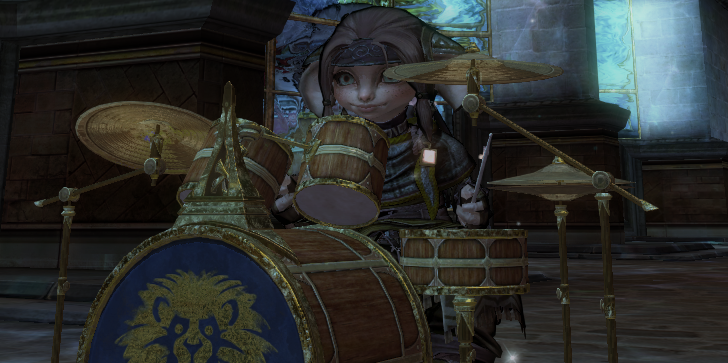
Good morning Tyria, the newest addition to our instrument collection likely shook the entire music community. Certainly a dream come true for many of us. We now have a proper drum kit and it feels amazing. A big thank you to all who made this possible.
1- We added Drum Kit notes to the soundfont and mapping for musescore app, see also https://www.gw2opus.com/gw2-instruments-in-musescore-installation-guide/
2- Our Tabify converter has now option to specify preferred Drum Kit output, once again, you can either choose from several presets, or customize your own.
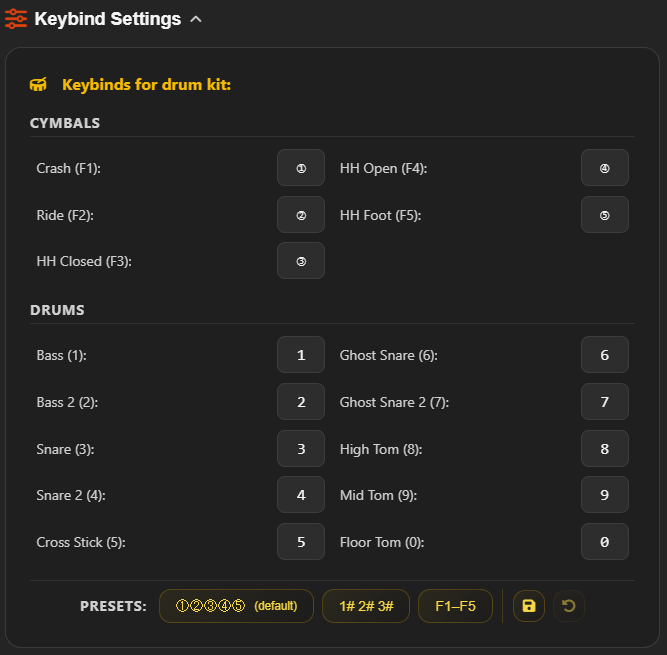
3- Tabs in our songbook, that include Drum Kit, now have the option to change tab view based on your preference for the two drums that are using the usual octave swap keys.
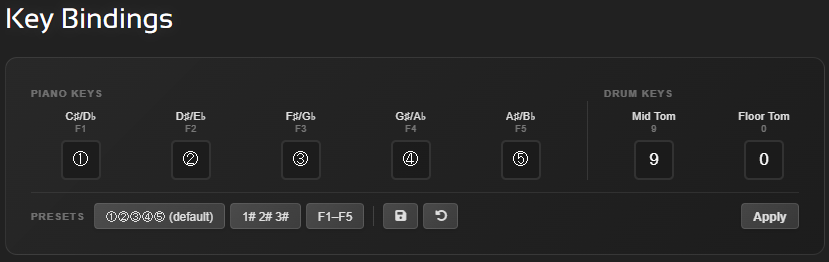
4- New features were added on the website.
- You can use the notation swap to view letters instead of numbers for each note
- Set up auto-scroll option, to move the tab automatically without having to tab out of game, useful for our larger tabs.
- Increase or decrease font size to your preference.

4. Practice Mode, where you can freely navigate through the song in real-time. You can select instrument to practice, change volume of background instruments to hear your parts better and even use metronome or make marks in the song.
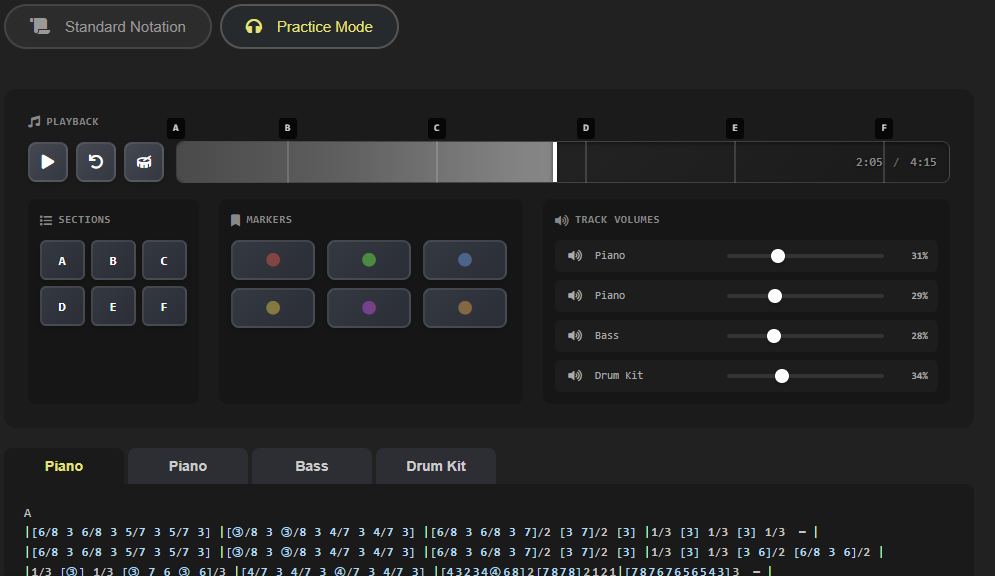
With these new additions to the website, we recommend doing a hard refresh of your browser, to see all the new changes.
Windows & Linux (Chrome, Firefox, Edge, Brave) – Ctrl + F5
macOS (Chrome, Firefox Edge) – Cmd + Shift + R
As always, huge thanks to Ori, for cooking all these amazing features, and we hope these will come in handy in everyone’s music endeavors, enjoy!
Share Post