How To Play
This is a quick guide to get anyone, interested in learning to play music in Guild Wars 2, started!
A list of playable instruments and where to get them:
Trading Post:
- Unbreakable Choir Bell (~2 copper)
- Magnanimous Choir Bell (~7 silver)
- The Minstrel (~1.7k gold)
Gemstore:
- Marriner’s Horn (800 gems)
- Flute (800 gems)
- Musical Frame Drum (800 gems)
- Musical Bass Guitar (800 gems)
- Musical Harp (800 gems)
- Musical Lute (800 gems)
- Ornate Grand Piano Pack (800 gems) – is also a chair novelty
- Black Lion Drum Set Package (800 gems) – is also a chair novelty
Craftable Legendary Weapons (unlocks instrument novelty):
- The Minstrel (~1.2k gold)
- Verdarach (~2.2k gold)
Prices are based as of April 2025. Check this crafting guide here. Calculate the crafting costs here.
When crafting The Minstrel and combining the last 4 items in the Mystic Forge, you receive two items: The instrument novelty and the legendary weapon. The latter can be sold while still unlocking the novelty. However, when buying the instrument from the TP, you need to account bind the weapon to unlock the instrument novelty!
Note:
Some of the instruments have more input lag than others! The worst ones, with the highest input lag, being the Musical Frame Drum and Unbreakable Choir Bell. The best ones are arguably Verdarach and Minstrel / Harp. The (Magnanimous Choir) Bell also doesn’t have a noticeable input lag and is cheap, therefore we think it’s a good choice for beginners!
How to Read Notation
Most common tab notation style (after Powerina, detailed explanation here):
Octaves:
Low Octave: [1 2 3 4 5 6 7 8]
Middle Octave: 1 2 3 4 5 6 7 8
High Octave: (1 2 3 4 5 6 7 8)
→ the brackets just symbolise a change in octave, the space it takes up does not count into the rhythm
In most of our tabs we also use colors for easier readability for octaves. Blue for low octave, or red for high octave. Alternatively, other colors are used showing parts that other instruments play during longer pauses or empty gaps.
Low Octave: [1 2 3 4 5 6 7 8]
Middle Octave: 1 2 3 4 5 6 7 8
High Octave: (1 2 3 4 5 6 7 8)
Notes:
Chord: 1/3/5 2/5/7 3/6/8 4/6/8 → notes separated by a / are played simultaneously
Multi-Octave Chord: [1/3/5]/1/3/5/(1/3/5) → these types of chords are typically rolled like an arpeggio
Triplets: 1.2.3 ~1.2.3~ → three notes in the space of two
Sharps (F1, F2, F3, F4, F5 by default): ① ② ③ ④ ⑤ → (on our site with adjustable view)
Breaks and durations:
End or start of a measure / bar: |
One beat rest: ━
Half beat rest: –
Quarter beat rest: .
Dotted note: 1· (increases a note’s duration by half of itself)
Note lengths:
The length of one note (number) is usually interpreted by the spaces in between numbers! This does not apply to rests. Spaces in between rests are added for readability!
1 beat note = followed by 2 spaces
½ beat note = followed by 1 space
¼ beat note = followed by 0 spaces
The most common time signature is 4/4: Four beats of each a quarter note in length.
Notes that are longer than one beat are written like a one beat note followed by one or more rests. The sustain of most GW2 instruments cannot be controlled, with the exception of Flute and Horn.
Example:
Written in GW2 Notation style: | 1 2 ━ 4 5 |
Instrument Compatibility:
Most instruments are in the key of C Major (= C D E F G A B; 1 = C).
Flute and Horn are set in E Major (E #F #G A B #C #D; 1 = E),
while the Unbreakable Choir Bell is set in D dorian (= D E F G A B C; 1 = D).
Even though instruments of different keys don’t share all of the same notes, they can still be arranged and played together. Just remember that you can’t simply replace a Minstrel (or any other C instrument) in a band tab with a Flute, as the numbers 1-8 correspond to different notes on the Flute.
Keyboard and Shortcuts:
Getting good at playing music mostly comes down to practice. But the right keyboard shortcuts as well as the right keyboard can make a big difference!
What keyboard to use:
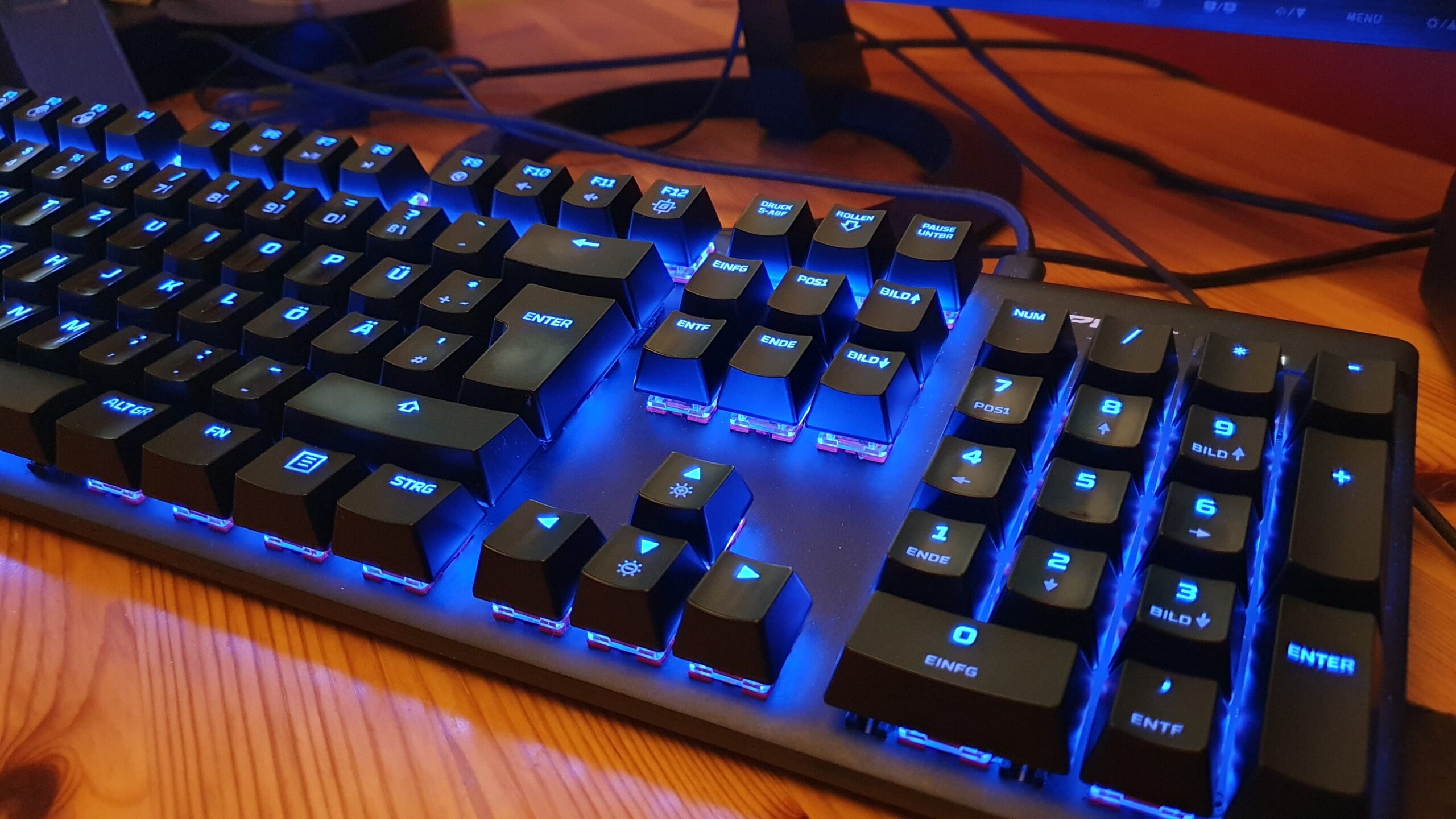
It’s possible to use a midi keyboard as input device (see this unfortunately not bug-free tool here), but most gw2 musicians play on a pc keyboard. If you can afford it, invest in a mechanical keyboard with linear switches (for example: Hyper X Alloy Origins), as it reduces the input lag compared to a rubber dome keyboard!
Common play-styles:
The following examples are the most common play-styles, but they are just one of many possibilities. Some people prefer slightly altered versions. It all comes down to preference! We recommend to try both of the following styles and choose what feels best for you!

- people with small(er) hands tend to prefer this play style
- the middle finger usually rests on 5, but may sometimes move to 2 (2/4/6), 4 (1/4/7), 6 (3/6/8) or 8 (4/6/8)
- this play style comes down to finding and remembering comfortable finger positions (right hand) for yourself for each chord
- variation: you can keybind any keys for the octave swaps, some people even use 9 and 0 on the numpad!
Example:

- people with big(ger) hands tend to prefer this play-style
- melodies and chords are broken up between both hands
- some feel it’s closer to playing a piano
- variation: instead of using the thumbs for octave swaps, some people prefer to use the right pinkie on 9 and 0
Last but not least, here are the …
Unspoken rules of the gw2 music community
- Respect other musicians. Don’t play over others.
- If you don’t want to await your turn, take your distance from other musicians to avoid note drops*.
- Ask before joining another musician’s play.
- Don’t spam. It’s annoying (and causes note drops*).
- Don’t share other people’s tabs without explicit permission.
- Don’t beg for tips.
- Respect all forms of music (including macros).
*Note drops: The game engine allows only a limited amount of notes to be played simultaneously within visible range. If that limit is reached it results in “muted” notes.
Share Post